

Admin
 Dec 30, 2024
 Milk
MilkAdd New Customers
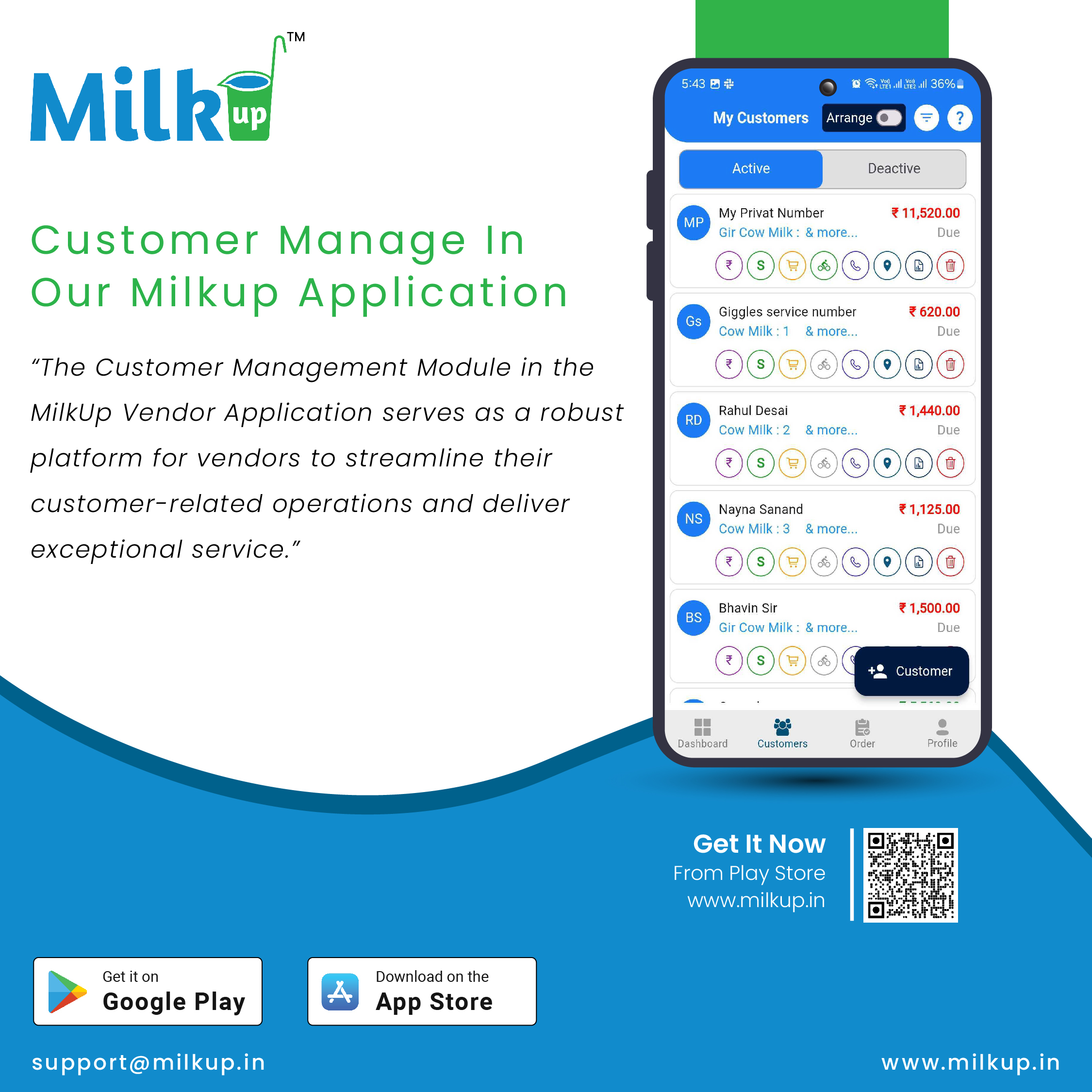
Vendors can add new customers by entering their essential details like name, contact number, delivery address, and subscription preferences.
A simple form is available to capture all necessary data efficiently.
Customer List
A complete list of all registered customers is displayed, including their basic details and subscription status.
The list allows vendors to search, filter, and sort customers based on name, location, or subscription type.
Customer Subscriptions
Vendors can view, add, or modify customer subscriptions.
Subscription details include product type, quantity, delivery schedule, and pricing.
Vendors can pause or resume subscriptions as needed.
Track Customer Orders
View past orders, current orders, and upcoming deliveries for each customer.
Monitor the delivery status and payment status of individual orders.
Customer Payment Management
Keep track of payments made by customers, pending payments, and any outstanding balances.
Generate and share payment receipts or invoices.
Customer Communication
Send notifications, reminders, or promotional offers directly to customers via the app.
Use messaging or notification systems to communicate about order updates, delays, or special discounts.
Customer Feedback and Complaints
Allow customers to provide feedback or raise complaints directly through the app.
Manage and resolve issues promptly to enhance customer satisfaction.
Reports and Insights
Generate customer-specific reports, including order history, payment records, and delivery trends.
Analyze customer behavior to identify loyal customers or address areas needing improvement.
Reports help vendors understand customer preferences, optimize delivery schedules, and offer personalized services.
Enhanced Efficiency:
Centralized data ensures all customer-related activities can be managed from one place.
Improved Customer Relationships:
Prompt communication and issue resolution build trust and customer loyalty.
Streamlined Operations:
Accurate tracking of subscriptions and payments reduces errors and improves service quality.
Data-Driven Insights:
Click here to Install

Milkup Vendor Application | https://play.google.com/store/apps/details?id=com.softwagon.milkup.vendor
Milkup Delivery Boy Application | https://play.google.com/store/apps/details?id=com.softwagon.milkup.deliveryboy
#DairySolutions #SmartCustomerCare #CustomerFirst #EffortlessBilling
#SubscriptionEase #MilkDeliveryMadeEasy #CustomerSatisfaction #SeamlessService #DairyMilk #MilkBusiness #DairyManagement #FarmToDoor #language #softwagon #softwagontech
Book a demo and our team will walk you through subscriptions, daily deliveries and monthly billing in the MilkUp app.
Powered by softwagon technologies Pvt. Ltd. ©2026 All Rights Reserved.


